BuildProSoft streamlines project planning, scheduling, and resource allocation, ensuring projects stay on time and within budget. It enhances communication between teams, allowing seamless collaboration between contractors, engineers, and stakeholders. The software also improves documentation and compliance tracking, reducing errors and legal risks. With real-time data and analytics, managers can make informed decisions, boosting overall efficiency and profitability.
Features Video
Progress Monitoring
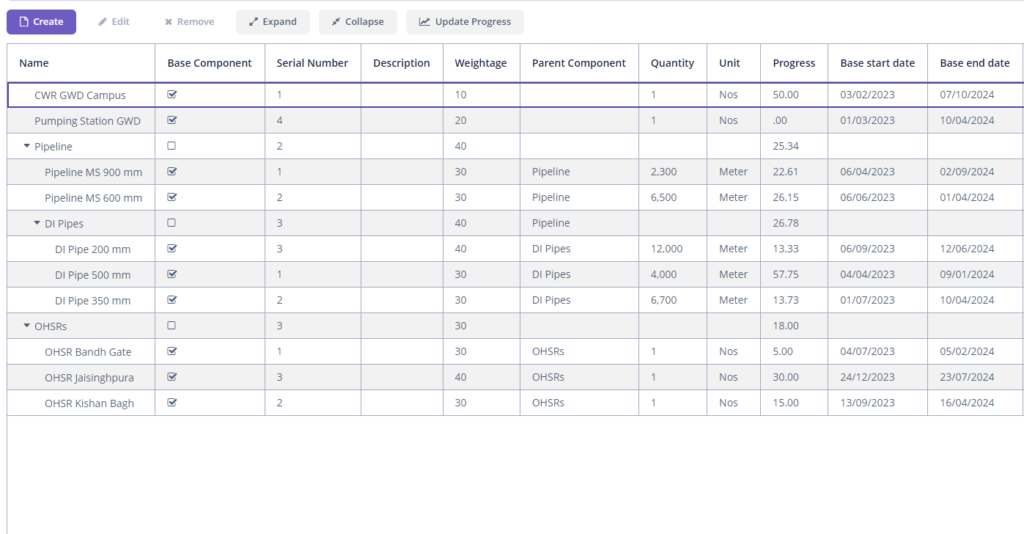
Projects are logically divided into components, each associated with specific construction stages. Overall progress is calculated based on the completion levels of these stages and their assigned weightages. For linear infrastructure like pipelines and roads, segment-wise and chainage-wise monitoring is available. All progress can be visualized on a geographic map, providing comprehensive oversight.
Site Management
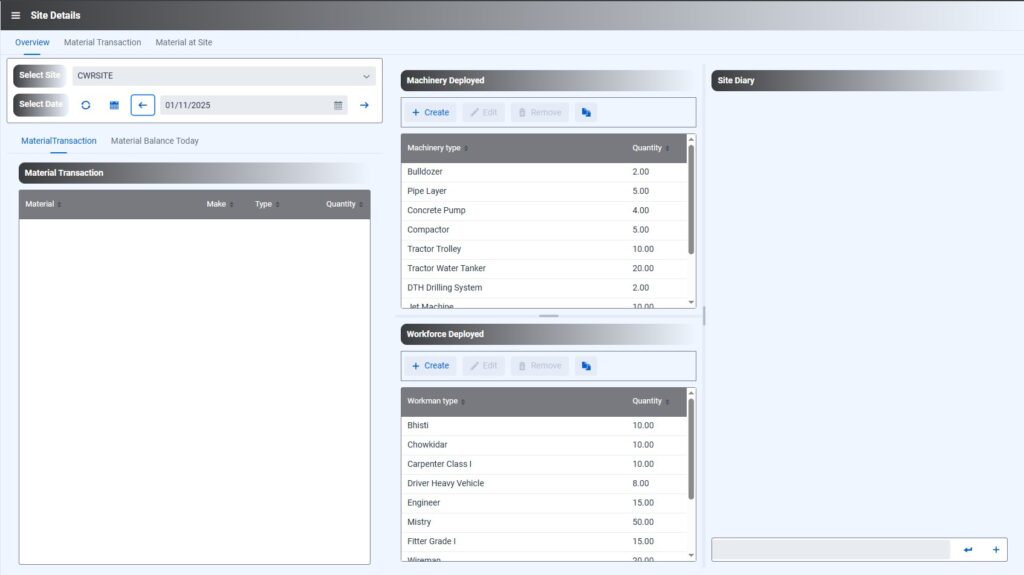
BuildProSoft enables detailed management of project sites, with daily records of deployed machinery and workforce. Material flow at each site is tracked, and a digital site book allows users to log messages, images, and videos detailing site activities such as inspections, weather, visits, and material receipts. All material movements, including issues, returns, and transfers, are automatically documented in site book.
Task Management System
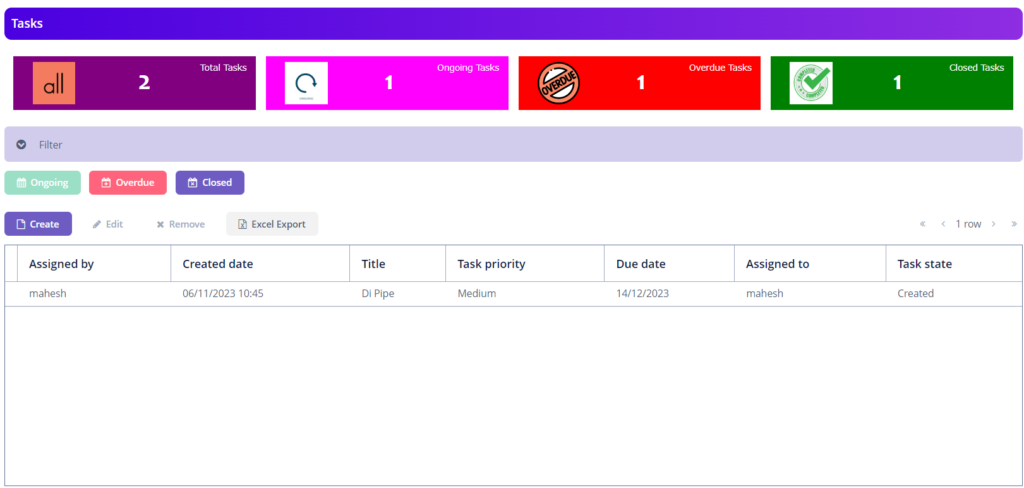
BuildProSoft includes a robust task management system, wherein the tasks are managed as per their priority.
Site Diary
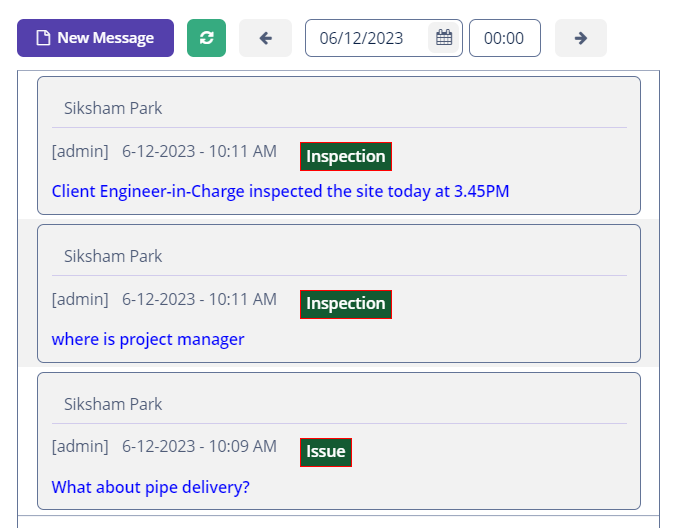
Site diary is maintained for each project site to keep the whole team in synchronization all the time. In site book, messages in form of text, images and videos can be posted. Site diary entries are visible for each day and can be scrolled using previous and next buttons.
The messages posted in site diary are further categorized such as material, visit, progress, weather, hinderance etc for easy tracing of required information.
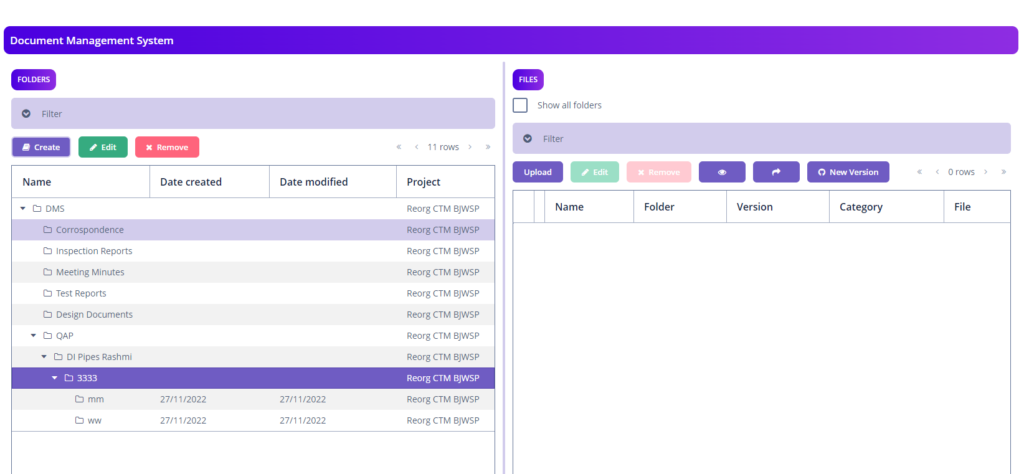
Document Management System
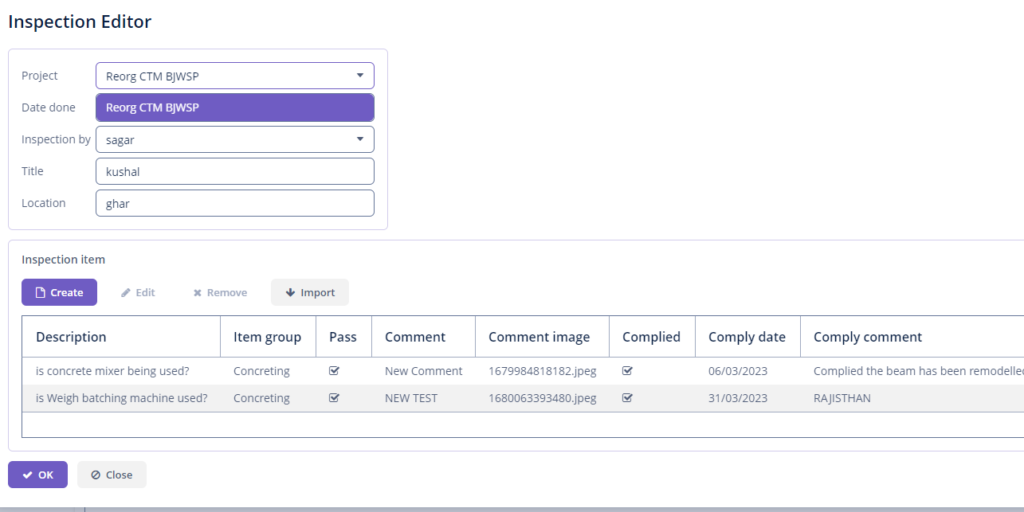
Online inspections can be conducted by clients, managers, and supervisors, including image uploads and discrepancy reporting. A variety of inspection templates are included for activities such as pipeline laying, RCC works, masonry, and pump installations.
Project Calendar
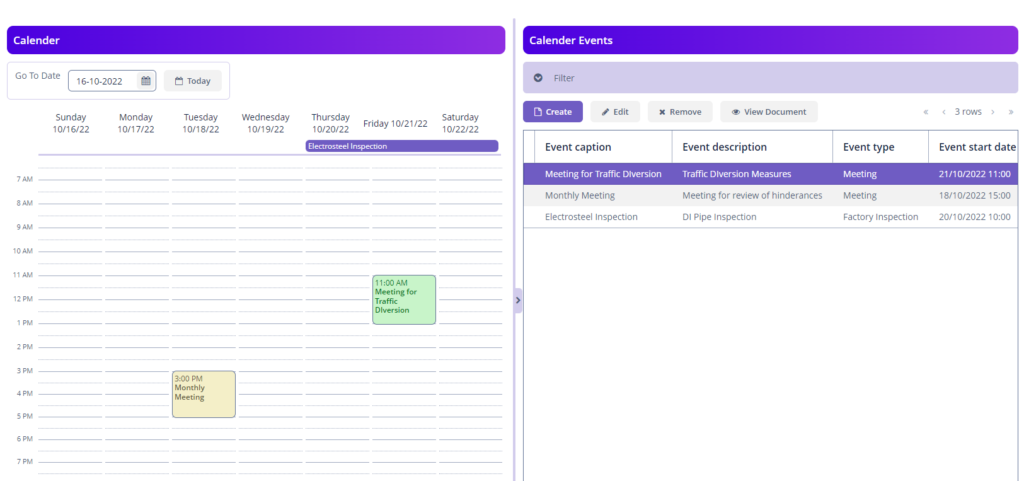
A simple project calendar is maintained in BuildProSoft to keep a timeline for important events i.e. Factory inspections, contract signing, meetings with client etc.
For each event, there is facility to attach a document.
Geographical Information System
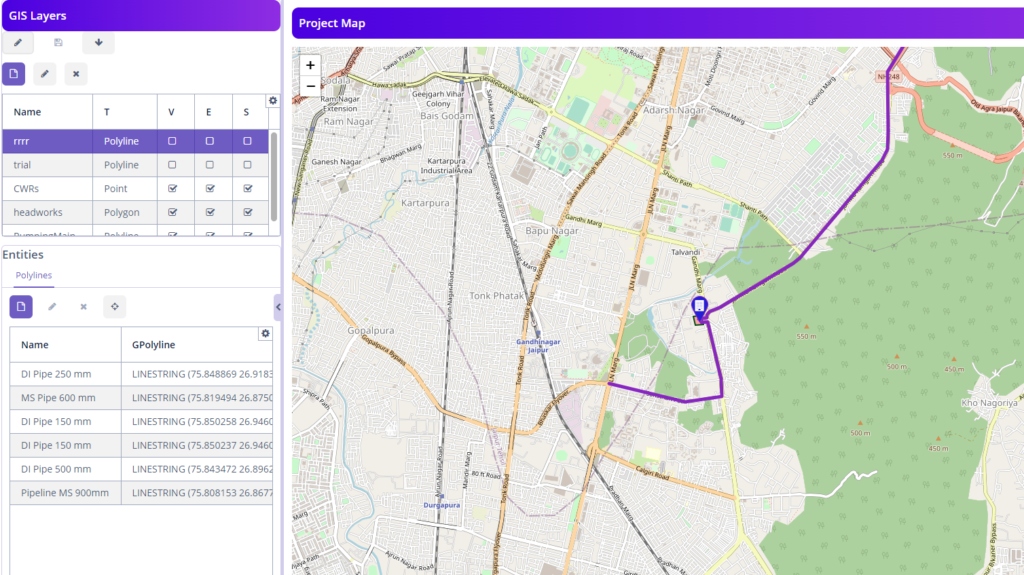
The system features a built-in GIS module, supporting the creation and editing of various geographical entities (points, polylines, polygons). Project elements, such as pipes or roads, can be imported from GeoJSON files and rendered to reflect physical progress. Updates to segment progress can be made directly through the map interface.
Material Tests Management
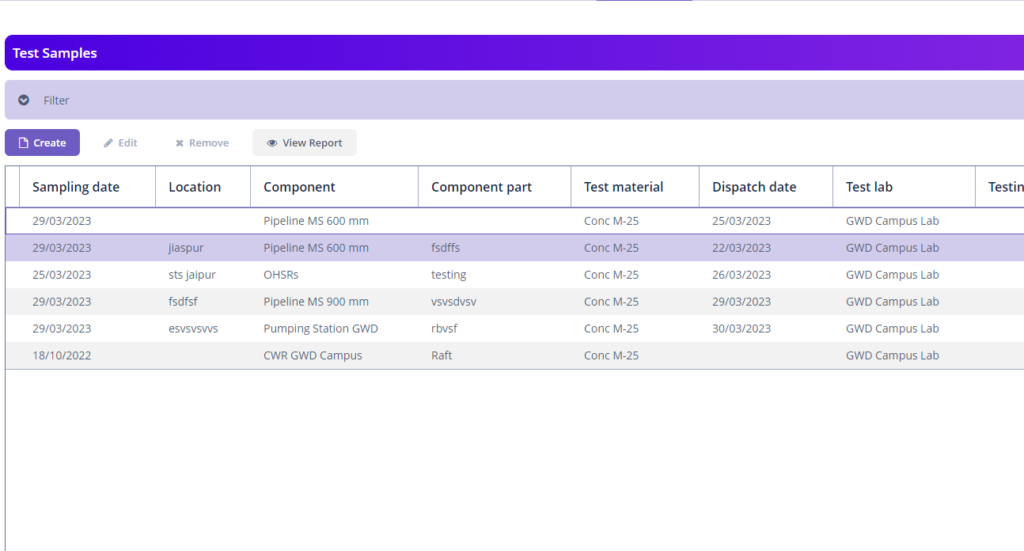
BuildProSoft offers end-to-end material testing management, including sample collection, test dispatch, and result recording. Test parameters for a wide range of materials are preconfigured, and both images and PDF test reports can be uploaded.
Site Inspections
Online inspection can be carried out through BuildProSoft by Client, Managers, Supervisors etc. Facility to upload images is also provided. Any discrepancies found during inspections can be recorded and assigned. Facility to submit compliance report is also provided. A large number of templates for inspection are included in software i.e. pipeline laying, RCC Work, Masonry Work, Pump Installation etc
Hindrance Management
Track and manage project hindrances comprehensively, with facilities for follow-up and resolution logging.
Stock Management
Multiple project stores and a comprehensive construction material database are supported. All material inflows and outflows are properly documented, with visibility into site- and store-level inventory and associated costs. Materials can only be issued through approved requisitions, ensuring control and traceability.
Bill of Quantities & Project Bills
BuildProSoft provide tools to manage Bill of Quantities (BoQ) of contract document. It has tools to import BoQ from excel files(*.xlsx). For each individual BoQ item, material requirement and progress can be maintained & monitored. Additionally, Bills can also be generated from BoQ. The project bill can be prepared within the application and excess, saving in quantities executed for individual item can be monitored. Deviations approved by the client can also be maintained in the application.
Safety Work Permits
Templates for safety permits streamline onboarding. Site managers and engineers can generate permits, which safety engineers can then review and approve or reject.
Subcontractor Management
Manage subcontractor agreements, bills, payments, and physical progress. BoQs for subcontractors can be imported from Excel and maintained.
Execution Gaps
In real-life project execution, due to number of reasons, some gaps are left. These gaps if not recorded pose serious difficulties and future testing and commissioning of system. BuildProSoft has facility to record these gaps along with their geographical location. It helps in future efforts to fill in these gaps and smooth testing and commissioning of system.
Staff Attendance
BuildProSoft has an in-built module for managing attendance of staff through web/mobile application. It also keep track of staff geographical location while marking IN & OUT when punched through mobile application. The staff attendance can be viewed in a Calander’s month view. The geographical location of staff can be viewed on a geographical map.
Milestones
The project milestones can be maintained in BuildProSoft based on percentage physical progress of project. It provides the days left or delay in respective milestone.
Emails
A project E-mail with gmail account can be setup within the application and messages sent & received can be viewed within the application. An e-mail can be sent from application itself. Moreover, the documents in DMS can be attached to E-Mails either as attachments or as links (for larger files).
Project Calendar
A simple project calendar tool is also available, from where important project activities can be recorded and reviewed.
Site Cameras
The site cameras can be viewed real-time within the application, if a media server is operational and stream URL and stream ID is available for site cameras.
Dashboards
A comprehensive dashboard is available in Buildprosoft to provide an overview of project progress which are shown through pie charts, bar/line charts, tables etc. Project progress, components completed, time elapsed, material in & out at individual site, workforce & machinery deployed at site, billing status etc can be viewed directly in dashboard. It helps in project managers to make informed decisions.
Reports
BuildProSoft has facility to generate various reports. Reports are generated using templates. User can download the existing templates and can reformat the as per its requirement providing flexibility. The templates for Store notes, project progress etc are already included in the application.
Roles and Authorization
Application has a robust authorization system. Each user is provided with a username and password to access the application. Moreover, there is facility to create roles having specific permissions to specific screens. A large number of roles are in-built in the application. The administrator of application may create other roles as per specific requirements.
Dedicated Hosting with branding
For each subscriber, BuildProSoft is dedicatedly hosted on a clous in an isolated environment with no shared databases. The subscriber can brand the application as per its requirement.
Mobile Application
BuildProSoft web application is complemented with comprehensive mobile application for both IoS and Android platform. Android application can be downloaded from Play Store and IoS application can be downloaded from App Store.
Comprehensive Documentation
Elaborate and comprehensive manuals are available online to facilitate learning & mastering the web and mobile application i.e. User Manual, Admin Manual etc. On-Site and off-site training facilities are also available.
E-Mail Support
A dedicated E-Mail support is also provided with 24-hour assured reply period to facilitate uninterrupted use of application.